
Spot safer sites before you click.
Pure Safety adds clear safety indicators next to domains right inside your browser's address bar suggestions — so you can tell trusted sites apart from risky ones at a glance.

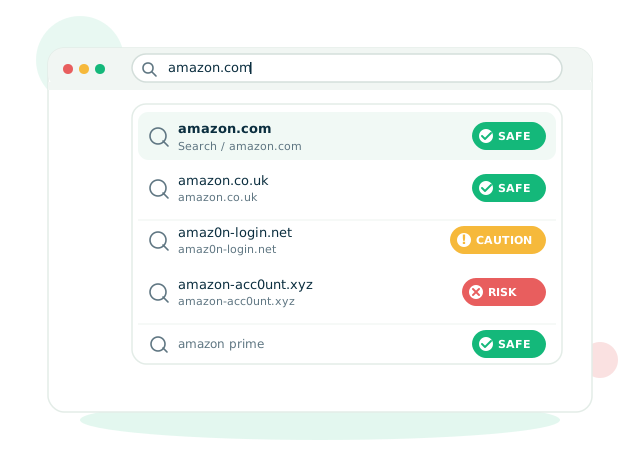
Safety indicators, built into your address bar
No extra clicks and no new tab. Pure Safety decorates the suggestions you already see, so awareness happens before the click — not after.
Start typing in your address bar
Search like you always do. Pure Safety stays quiet until there's something worth flagging.
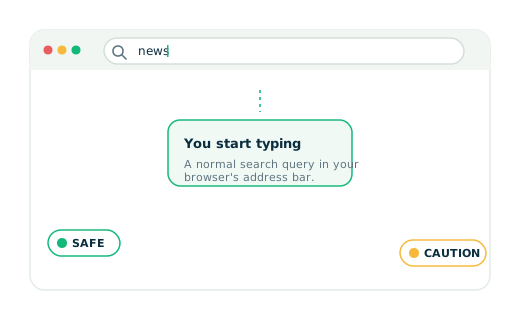
Suggestions get a safety chip
Each domain in the autocomplete list is scored with Web of Trust data and tagged Safe, Caution, or Risk — right next to the suggestion.
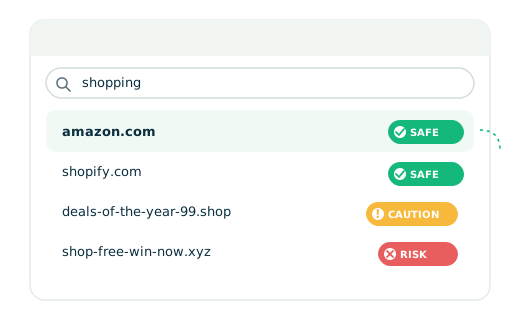
Click with confidence
Pick the result you trust. Your search runs through puresafetysearch.com and returns results powered by Yahoo.
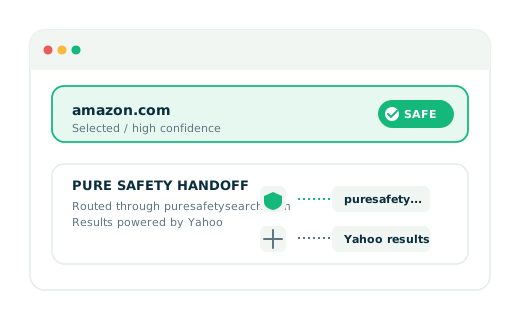
Pre-click awareness, on every search

In-suggestion indicators
Safety chips appear inside the Chrome address bar autocomplete — no new UI to learn.

WOT-powered scores
Domain evaluation comes from Web of Trust — one of the largest crowd-powered safety datasets.

Three clear levels
Safe 8–10, Caution 5–7, Risk 1–4. No numbers to decode.

Pre-click awareness
Spot unfamiliar or risky domains before you visit them — not after you've loaded the page.
Safety levels at a glance
Every domain in your suggestions gets one of three ratings.
Well-known or trusted domains, safe to visit.
Less familiar domains — use awareness before clicking.
Potentially risky or unclear domains — use caution.
Make every search a safer search.
Install Pure Safety — it's free, runs in the background, and helps you browse with clearer signals.
Free · Chrome Web Store · Powered by Yahoo